
 Lifestyle
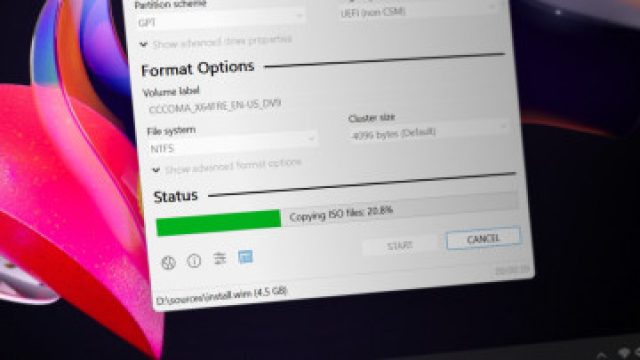
Rufus Updates Enhance Windows 11 Installation for Everyone
In the ever-evolving world of technology, staying updated with the latest software is crucial for seamless operations. Recently, Rufus, a well-regarded application for creating bootable USB drives, has made significant strides by addressing critical issues related to Windows 11 installations. This news is especially relevant for those looking to bypass strict system requirements or install the operating system on less-than-ideal hardware configurations.
The Importance of Rufus in the Tech Landscape
Rufus has long been a favorite among tech enthusiasts for its ability to create bootable USB media efficiently. With the growing adoption of Windows 11, the demand for reliable tools to facilitate installations has surged. Many users have encountered barriers due to the stringent requirements set by Microsoft, prompting the need for effective workarounds. This is where Rufus comes into play, offering solutions that empower users to embrace the latest OS without being hampered by hardware limitations.
Recent Enhancements: What Changed?
In its latest update, Rufus has resolved several key issues that had affected its functionality in creating bootable USB drives for Windows 11 installations. Let’s delve into these enhancements:
1. Fixing the Installation Bypass Bugs
- Bypass Options: The most notable improvement is the rectification of bugs related to bypassing the Windows 11 system requirements. These bugs previously led to inconsistent installation experiences for many users.
- Enhanced Stability: Users can now expect greater stability and reliability during the installation process, ensuring that their attempts to install Windows 11 are more likely to succeed without unnecessary errors.
2. Streamlined User Experience
- Improved Interface: The Rufus interface has been refined to facilitate easier navigation, making the process of creating bootable drives more intuitive.
- Comprehensive Guides: The update includes detailed guides to help users who may be unfamiliar with creating bootable media, ensuring that everyone can benefit from the new features.
Why This Matters Now
The release of these updates comes at a pivotal time as more users consider transitioning to Windows 11. With mixed reviews regarding hardware compatibility, many potential users have been hesitant to upgrade. Rufus’ enhancements offer a welcome solution for individuals looking to experience the latest features Windows 11 has to offer without having to invest in new hardware or deal with complicated installation processes.
Moreover, as we move deeper into a digital-centric world, accessibility to technology becomes increasingly important. By providing tools that facilitate easier installations, Rufus is playing a critical role in democratizing access to updated operating systems.
Community Feedback and Support
As always, community feedback has been instrumental in shaping the updates. Users have actively reported issues and suggested improvements, allowing the developers of Rufus to cater to the actual needs of their audience. This collaborative approach not only enhances the software but also fosters a sense of community among tech enthusiasts.
Getting Started with Rufus
If you’re ready to create a bootable USB drive for Windows 11, follow these simple steps:
- Download the latest version of Rufus from the official website.
- Insert a USB drive into your computer.
- Launch Rufus and select your USB drive.
- Choose the Windows 11 ISO file you wish to install and configure the options to bypass requirements if needed.
- Click 'Start' and wait for the process to complete.
Conclusion: Embracing Change with Rufus
The enhancements made by Rufus are not just technical fixes; they signify a commitment to ensuring that users are equipped to navigate the challenges of modern technology. With the right tools, upgrading to Windows 11 becomes a more accessible endeavor. As we witness rapid advancements in software and user interfaces, platforms like Rufus remain essential in bridging the gap between desire and practicality.
Stay updated on tech developments and ensure your systems are running optimally with Rufus, and embrace the capabilities of Windows 11 with confidence!
Reproduction without permission is prohibited: Lifestyle » Rufus Updates Enhance Windows 11 Installation for Everyone | sentosa88 slot, anakspin com, agen 633 slot
 8 of the most breath
 8 Chinese paradises
  Inverted landscape p
 Eight of China’s mos
 Graceful fairy woven
 Burglary Incident at
 Why Supermarket Food
 The Snacking Revolut