
 Lifestyle
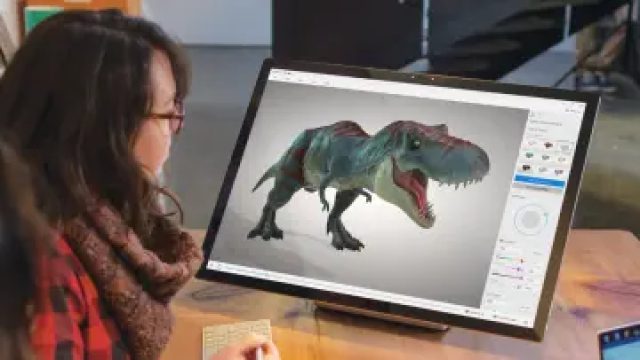
Microsoft Phases Out 3D Viewer: What It Means for Users
In a significant shift for digital asset management, Microsoft has officially removed the 3D Viewer app from its store, marking the end of new installations. This development signifies more than just the retirement of a tool; it reflects broader trends in technology and user needs. As the digital landscape evolves, understanding the implications of such changes is crucial for users relying on 3D visualization tools.
The Rise and Fall of 3D Viewer
Originally introduced to simplify the viewing and sharing of 3D models, 3D Viewer facilitated various industries, from gaming to architecture, by providing users with a straightforward interface. However, with advancements in technology and shifting user preferences, Microsoft's decision to phase out the app was not unexpected.
What Led to This Decision?
- Technological Advancements: New tools with enhanced functionalities have emerged, offering more than just simple viewing.
- User Behavior: As user needs evolve, many prefer integrated solutions that combine multiple tools into one platform.
- Market Competition: Robust competitors have developed more comprehensive applications that appeal to a broader audience.
Implications for Existing Users
The removal of 3D Viewer from the Microsoft Store raises questions for existing users. Those who have relied on this application will need to consider how to manage their 3D assets moving forward.
Options for Previous Users
- Explore Alternatives: Users can look into other software that offers similar or enhanced capabilities. Programs such as Autodesk Fusion 360 and Blender could serve as viable replacements.
- Utilize Online Platforms: Many web-based tools provide 3D viewing options without the need for local installation.
- Community Resources: Engaging with user forums and communities can provide insights on best practices and tool recommendations.
What’s Next for Microsoft?
With 3D Viewer out of the picture, Microsoft has the opportunity to focus on developing more integrated tools that meet the emerging demands of users. This transition may indicate a potential pivot towards immersive technologies and enhanced user experiences.
Future Trends to Watch
As Microsoft continues to adapt, industry observers are keen to see how they will embrace new technologies. Here are some trends to consider:
- Augmented Reality (AR): The integration of AR into consumer applications could redefine how users interact with 3D models.
- Cloud Computing: Leveraging cloud technology for real-time collaboration on 3D assets is becoming increasingly vital.
- AI Integration: Artificial intelligence can enhance the functionality of 3D applications, making them smarter and more user-friendly.
Conclusion: Moving Forward in the Digital Space
The retirement of Microsoft 3D Viewer serves as a reminder of the rapid pace of technological change and the need for users to stay informed and adaptable. As we transition towards new tools and platforms, embracing innovation will be key to maximizing productivity and creativity in the digital realm. For users seeking alternatives, the market offers various options to explore, enabling continued engagement with 3D assets even in the absence of this once-popular application.
Reproduction without permission is prohibited: Lifestyle » Microsoft Phases Out 3D Viewer: What It Means for Users | roma slot joker123, 8ettingan slot
 Cute and cute fruit
  Gadgets made of food
 National flags made
  NIGO Revives Kenzo’s